By using Replypad, you agree to our Cookie Policy.

The PSA for Small IT Shops

Shared InboxTicketingTime TrackingBillingAssetsKnowledge baseAutomation

From the team building PSA software for MSPs since 2004.

$25/user/month. No lock-in.

Start free trial

15 days · No credit card


Works with what you already run –
Microsoft 365 Intuit QuickBooks Google logo

Works with your Microsoft 365 or Google Workspace email – nothing to migrate. Tickets dispatch to your techs’ existing calendars.
Invoices are created directly in QuickBooks – from hours, charges, and agreements not yet billed.
RMM integrations are on the roadmap – tell us which one you run.


An integrated software for service providers including shared inbox, service desk, billing, asset tracking, and more.
 We’ve built PSA software for MSPs since 2004 – first RangerMSP, now Replypad. 

No venture capital, no private-equity exit, no rebrand-and-price-hike.
Our pricing is published and billing is monthly.
If we ever stop earning your business, you leave – that’s the deal.

Experience the difference today –

Start free trial

15 days · No credit card

You’re not underpriced. You’re under-billed.

The 15-minute fix handled from the inbox and never logged. The “quick favor” that was out of scope.
Hours recalled from memory on invoicing day – always rounded down.
None of it feels like money going missing. All of it is.

The quick fix never logged. The favor that was out of scope. Hours recalled from memory on invoicing day. None of it feels like money going missing. All of it is.


Nothing slips

Every customer email becomes a ticket with one owner, a status, and a clock. SLAs run in the background – not in someone’s head.

Nothing leaks

Time attaches to tickets, tickets attach to agreements, and what’s billable gets flagged before the invoice goes out – then invoiced directly in QuickBooks.

Nothing is forgotten

Assets, serial numbers, warranties, service history, and documentation live on the account – so “what did we do about this last time?” takes seconds, and any tech can pick up any customer.

Get everything organized

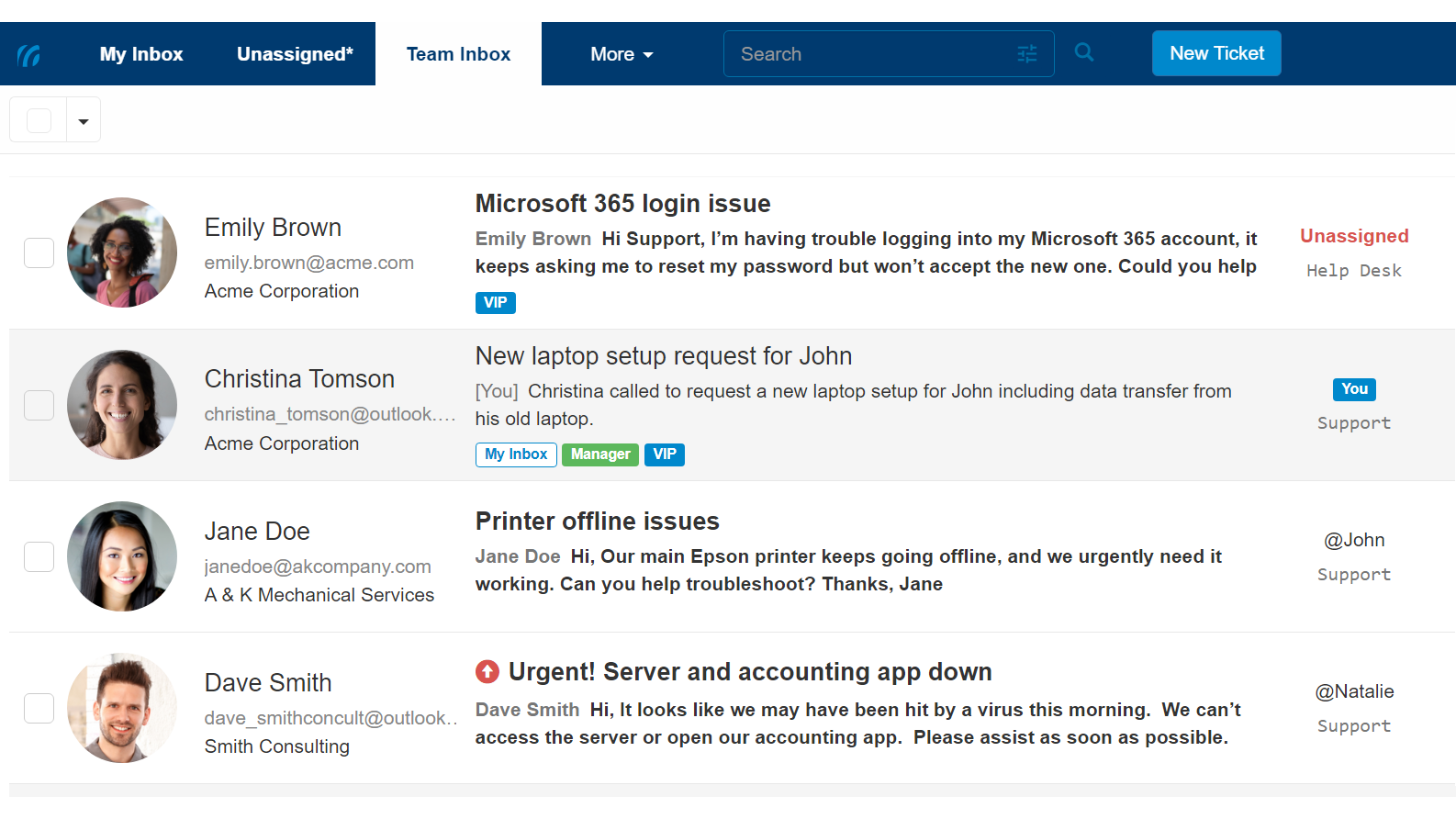
Support@ stops being a black hole. Label, categorize, and prioritize service tickets – whether they arrived by email or a tech logged them after a call – and work through a high volume of requests with clear owners.

Stay on top of your customer assets and devices.

And when it’s time to bill – recurring contracts, product charges, and tracked time become invoices created directly in QuickBooks. Invoicing day stops being archaeology.

The tool for teams to get their service business and shared inboxes organized

Save time with automation you can audit

Triggers assign tickets automatically, label them, prioritize them, and even reply to customers when the conditions you set are met. Deterministic and auditable – your billing and SLAs are not the place for surprises.

Add automation to shared email mailboxes

One inbox per tech

Every tech gets a unified inbox tailored just for them.
Everything relevant – tickets, replies, mentions – is pushed to one place.
No view-switching, no “did anyone grab this?”, no digging through tabs.

Handle email conversations like a pro

Still running the shop on Outlook and spreadsheets?

It works – until two techs answer the same email, a phone request lives only in someone’s head, and the month’s billable hours are reconstructed from memory and guilt.
That’s not a discipline problem. It’s the spreadsheet era ending.

Start free trial

15-day free trial. No credit card required.

A Real Service Desk

Resolve service tickets faster with SLA targets tracked for you, automation you configure yourself, and a queue your whole team can see.

Billing That Finds Money

Monthly agreements, custom terms and rates, tracked time and product charges – invoiced from the app straight into QuickBooks, nothing left behind.

Reporting & Analytics

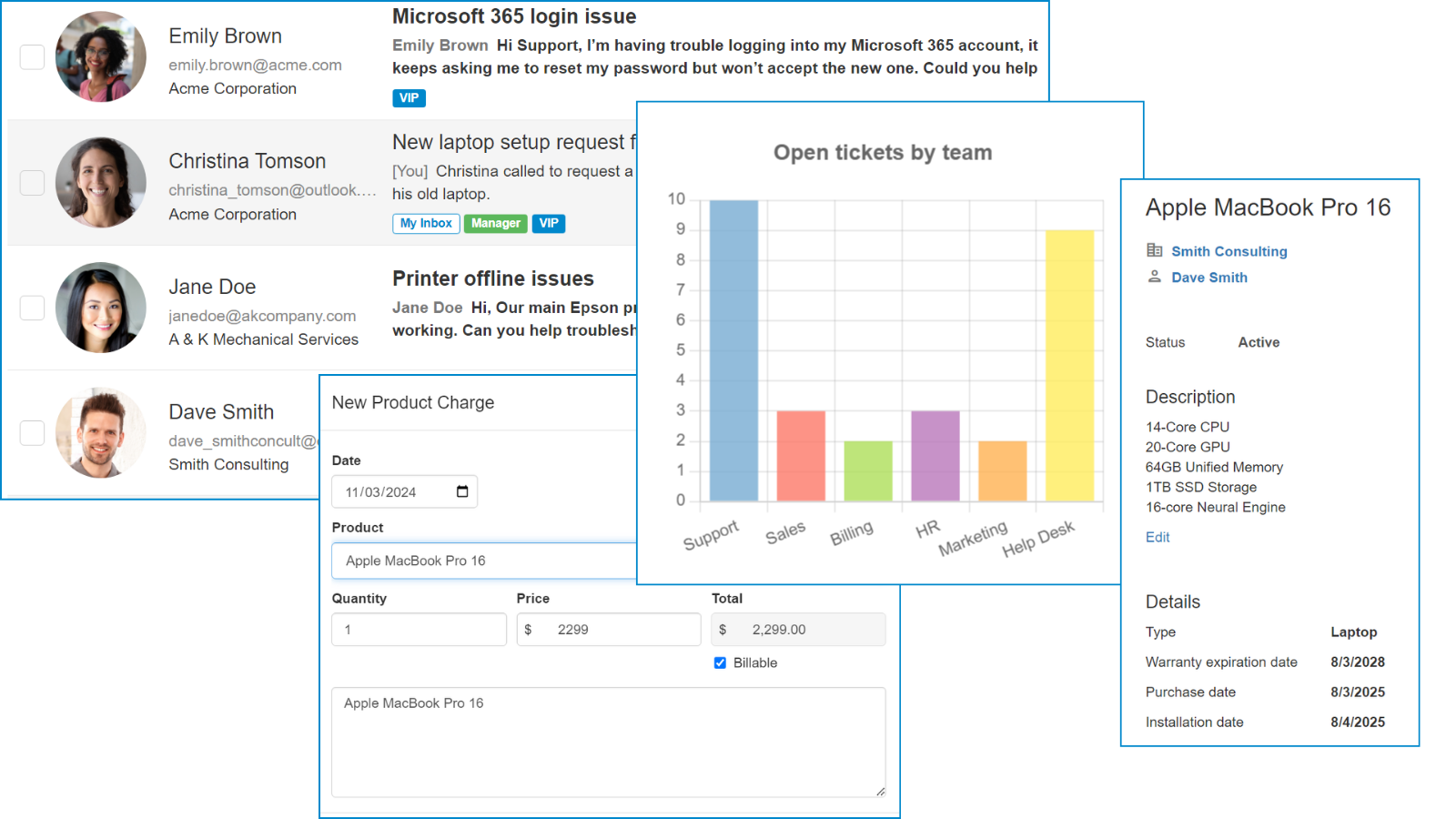
See workload and where the billable hours actually went. Run the business on data, not gut feel.

Deep where the money lives. Simple everywhere else.

Everything below is included – no tiers, no add-on modules.

Shared Inbox Ticketing

Every ticket in one shared queue – whether it arrived by email at support@, was logged by a tech after a call, or opened by the customer in the portal. Clear owners, clear statuses, and none of the chaos of shared mailboxes, distribution lists, and forwarding.

Recurring billing & Contracts

Automate renewals, MSP contracts, time-and-material arrangements, “all-you-can-eat” agreements, and more.

Charges & Time tracking

Capture the hours you’re giving away. Log time on tickets, against agreements – billable or not – and bill for products used and services provided before they’re forgotten.

Asset Management

Track customer devices and software assets. Customize product configuration details, manage warranty information, log problems and incidents against assets, and view device service history.

Contacts & Accounts (CRM)

Manage unlimited contacts and accounts. Quickly view service history, asset information, billing details, and activity timelines.

Saved responses

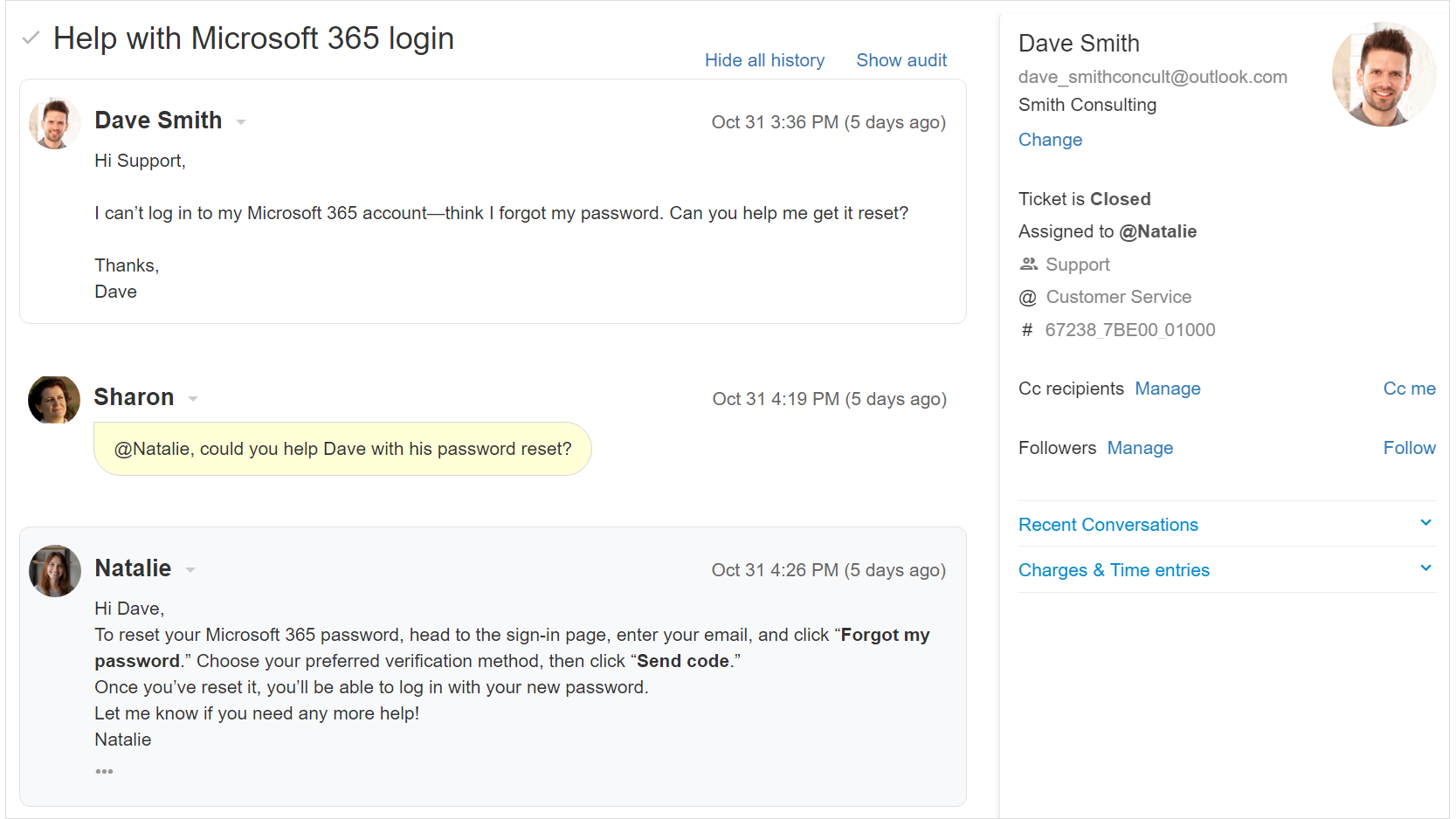
Write quality responses quickly while keeping your team’s voice consistent. Create complete or partial replies that may include images and attachments. Insert replies from your keyboard while typing.

Real-time

Replypad works in real-time. You can keep your tab open all day and never have to refresh. Replypad automatically pushes ticket updates to you.

100+ Keyboard shortcuts

Replypad can be used almost entirely without a mouse.

Collision detection

See who else is viewing the same service ticket in real-time. Never do duplicate work again.

Internal notes

Chat behind-the-scenes. Collaborate on service tickets privately with your team. Add notes that only you and your team can see.

Search

Find past tickets and conversations fast – learn from them or reuse a reply in a current discussion.

Productivity tools

Snooze tickets to handle later; Schedule replies; Undo send; Bulk actions; Timers; Account & Contact import; Reply to email notifications; @mentions.

Great for local and remote teams

Review each other’s draft replies, set user privileges and access rights, and work the same queue from anywhere.

Never lose your work

Replies are automatically saved as you write.
Save your work-in-progress as a draft and continue later from where you left off.

All-inclusive, transparent pricing

$25/user/month – or $20 if you choose annual: self-serve, no sales call, nothing to sign. Every feature, unlimited accounts. Published right here – no “book a demo to see a number.”

Sized for how small shops work – not capped at how big you’ll get.
Empower your team with a modern app for IT services providers, MSP, and technology solution providers.

Built for you. Or, honestly, maybe not.

Replypad is for you if –
  • You run a small or growing MSP or IT service shop.
  • You already have an RMM you like – or don’t need one. We don’t bundle one, and we won’t make you pay for one.
  • You want your PSA working this week, not next quarter.
Replypad is probably not for you if –
  • You’re 25+ techs today – and you also need resource planning, project Gantts, and a dedicated PSA admin. The heavyweight platforms earn their complexity at that size – genuinely.
  • You need RMM and PSA unified under one vendor. That’s a fair preference; it just isn’t us.
  • You’re looking for autonomous AI to resolve tickets. We build deterministic automation you can audit – your billing and SLAs are not the place for surprises.

We’d rather you pick the right tool than churn out of the wrong one.


Questions small shops actually ask

Will we outgrow Replypad?

Nothing breaks as you grow – “small” is who we design for, not a cap. Only much larger teams with much more complicated requirements ever need the enterprise PSAs. For a small IT shop, Replypad is a long-term home. The real risk isn’t outgrowing your PSA – it’s growing without one. Every tech you add is more unbilled hours slipping through.

Do you include an RMM?

No – on purpose. Run an RMM you like? Keep it – we’d rather integrate with yours than sell you a second one. Don’t run one? Then you’re not paying for one you’d never use.

Can we migrate from another PSA?

You can import accounts, contacts, assets, charges, and your products and services from CSV yourself – anything your current system can export – and we’ll help hands-on if you want it. Honestly, though, one-click migrations from the big platforms aren’t built yet. Coming off spreadsheets or a generic help desk? You’ll be in within a day.

What’s in the trial?

Everything. 15 days, unlimited users, every feature – no credit card. Set it up yourself in an afternoon; if you get stuck, we help.

What’s the catch on pricing?

There isn’t one. $25/user/month billed monthly, cancel anytime. Prefer annual? Pay $20/user/month up-front – your choice, made in the app, no sales call, nothing to sign. We’ve priced software for small IT shops since 2004 – sustainable and boring is the point.

Who’s behind this?

The team behind RangerMSP – building PSA software for small IT shops and MSPs since 2004.

Prove it to yourself by Friday

Set up in an afternoon, not a quarter. Bring in a couple of techs. Run real tickets against real agreements.
15-day free trial. No credit card required. Unlimited users. Fully functional.

Start free trial